
Number Formats
Formatting changes how a value looks, never what it is. A cell holding 0.256 can show as 0.256, 25.6% or 0.3, but every formula still uses 0.256.
Excel's number formats cover decimals (0.00), thousands separators (#,##0), percentages (0%), currency and dates. Apply them from the Home tab (Number group) or Format Cells (Ctrl+1).
In a formula, TEXT(value, format) turns a number into formatted text. The example shows several formats of the same value, and that the underlying value is unchanged.
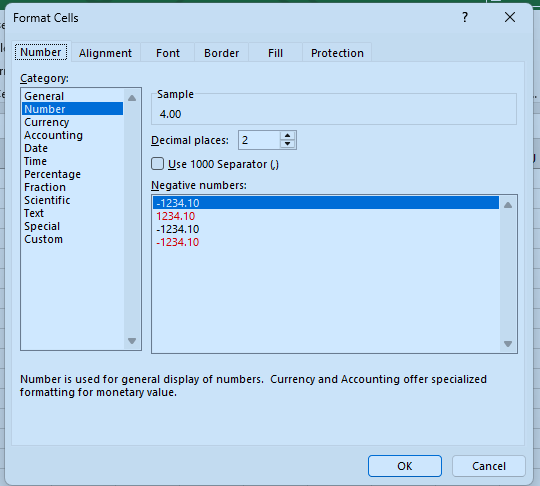
In Excel: select the cells, press Ctrl+1 to open Format Cells, pick Number, and set the decimal places. The value stays the same; only the display changes.
Does formatting a cell as a percentage change its value?
Show the value in A1 as a percentage with one decimal in B1 (use TEXT with the format 0.0%).
Finish the quick check (and any code exercise) to complete this lesson, or mark it done yourself.
Tip: use the left and right arrow keys to move between lessons.